
Why UI and UX Are Often Confused
The terms UI (User Interface) and UX (User Experience) are frequently used together, leading many people to believe they mean the same thing. While they are closely connected, they focus on different aspects of product design.
A product can have a beautiful interface but still be frustrating to use. Likewise, it may function exceptionally well but fail to attract users because of poor visual design. The most successful digital products combine outstanding UI with thoughtful UX to create experiences that are both attractive and intuitive.
Understanding the distinction between these two disciplines is essential for designers, developers, and business owners alike.
What Is User Experience (UX)?
User Experience focuses on how a person interacts with a product from beginning to end.
UX designers aim to solve problems by making products easy, efficient, and enjoyable to use.
Their responsibilities often include:
- User research
- Information architecture
- User flows
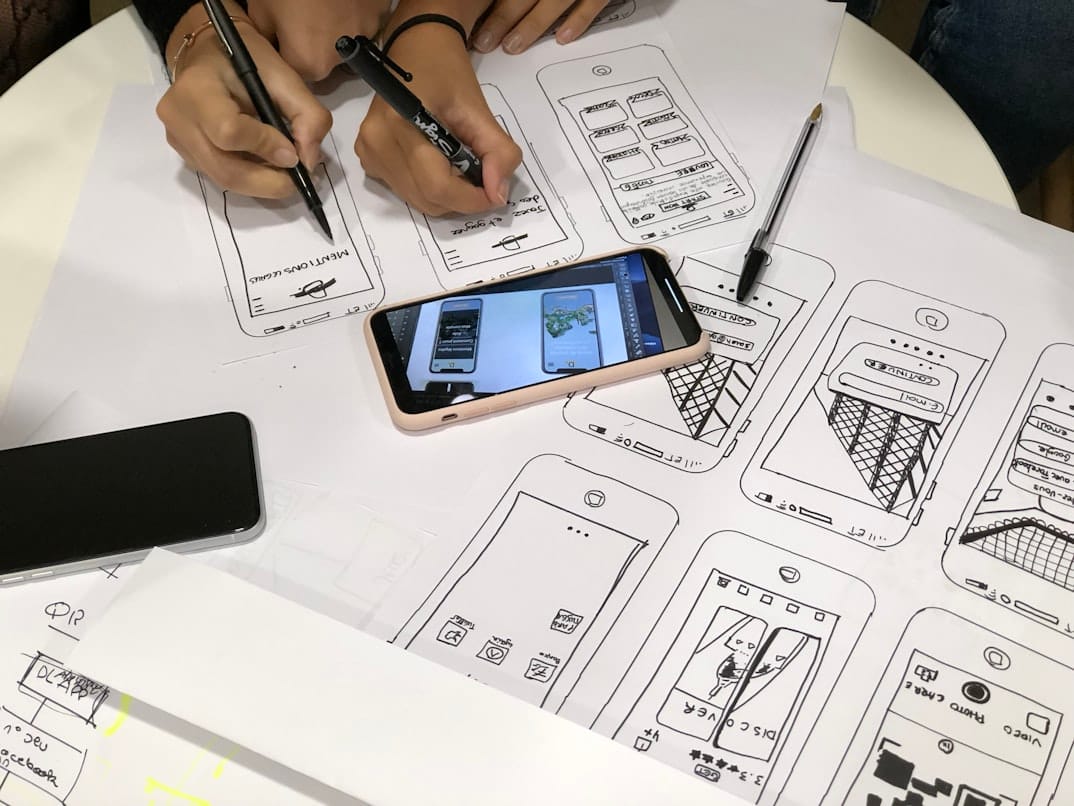
- Wireframing
- Usability testing
- Journey mapping
Every UX decision is centered around improving the user's overall experience.
What Is User Interface (UI)?
User Interface focuses on the visual elements users interact with.
UI designers transform wireframes and ideas into polished interfaces using design systems and visual consistency.
UI design includes:
- Color palettes
- Typography
- Buttons
- Icons
- Layouts
- Interactive components
A strong UI creates visually appealing products while supporting usability.
UI and UX Work Together
Rather than competing disciplines, UI and UX complement one another.
A typical product design process often looks like this:
- Research user needs
- Define user journeys
- Create wireframes
- Build interface designs
- Develop prototypes
- Test with real users
- Improve through feedback
Both disciplines contribute equally to creating successful digital experiences.
The Importance of User Research
Design decisions should never rely solely on assumptions.
UX research helps teams understand:
- User goals
- Pain points
- Behaviors
- Expectations
- Preferences
- Accessibility needs
Better research leads to better design decisions.
Principles of Great UI Design
Effective interfaces balance aesthetics with functionality.
Strong UI design focuses on:
Consistency
Using consistent colors, typography, buttons, and layouts creates familiarity and reduces confusion.
Clarity
Every interface element should communicate its purpose immediately.
Visual Hierarchy
Important actions should naturally attract attention through size, spacing, and contrast.
Simplicity
Removing unnecessary visual elements allows users to focus on completing tasks efficiently.
Principles of Great UX Design
Excellent user experiences prioritize usability over decoration.
Successful UX design emphasizes:
- Easy navigation
- Logical information flow
- Fast task completion
- Clear feedback
- Accessibility
- Continuous improvement
When users achieve their goals effortlessly, good UX is doing its job.
Common Design Mistakes
Even well-designed products can struggle if common mistakes are overlooked.
Watch out for:
- Overcomplicated navigation
- Inconsistent layouts
- Small touch targets
- Poor readability
- Too many user actions
- Ignoring accessibility
Small usability problems often have a significant impact on customer satisfaction.
Design Systems Improve Consistency
Modern product teams increasingly rely on design systems.
A design system typically includes:
- Color guidelines
- Typography rules
- UI components
- Icons
- Grid layouts
- Interaction standards
These shared resources improve collaboration while maintaining consistency across products.
The Future of Digital Design
Technology continues to reshape how people interact with digital products.
Emerging trends include:
- AI-assisted interfaces
- Voice user interfaces
- Personalized user experiences
- Augmented reality design
- Inclusive accessibility
- Cross-device experiences
Future designers will focus even more on creating seamless interactions across multiple platforms.
Final Thoughts
UI and UX design are two sides of the same coin. While UX ensures a product is useful, intuitive, and user-centered, UI makes that experience visually engaging and enjoyable. Together, they create digital products that people not only use but genuinely appreciate. Businesses that invest in both disciplines are better positioned to deliver exceptional customer experiences, strengthen brand loyalty, and succeed in an increasingly competitive digital world.